Keep your fleet working
Plan trips, assign drivers, and track your vehicles.
Run your fleet, trips, and finances in one place. Put Sinza to work on the routine tasks that take time away from your business.
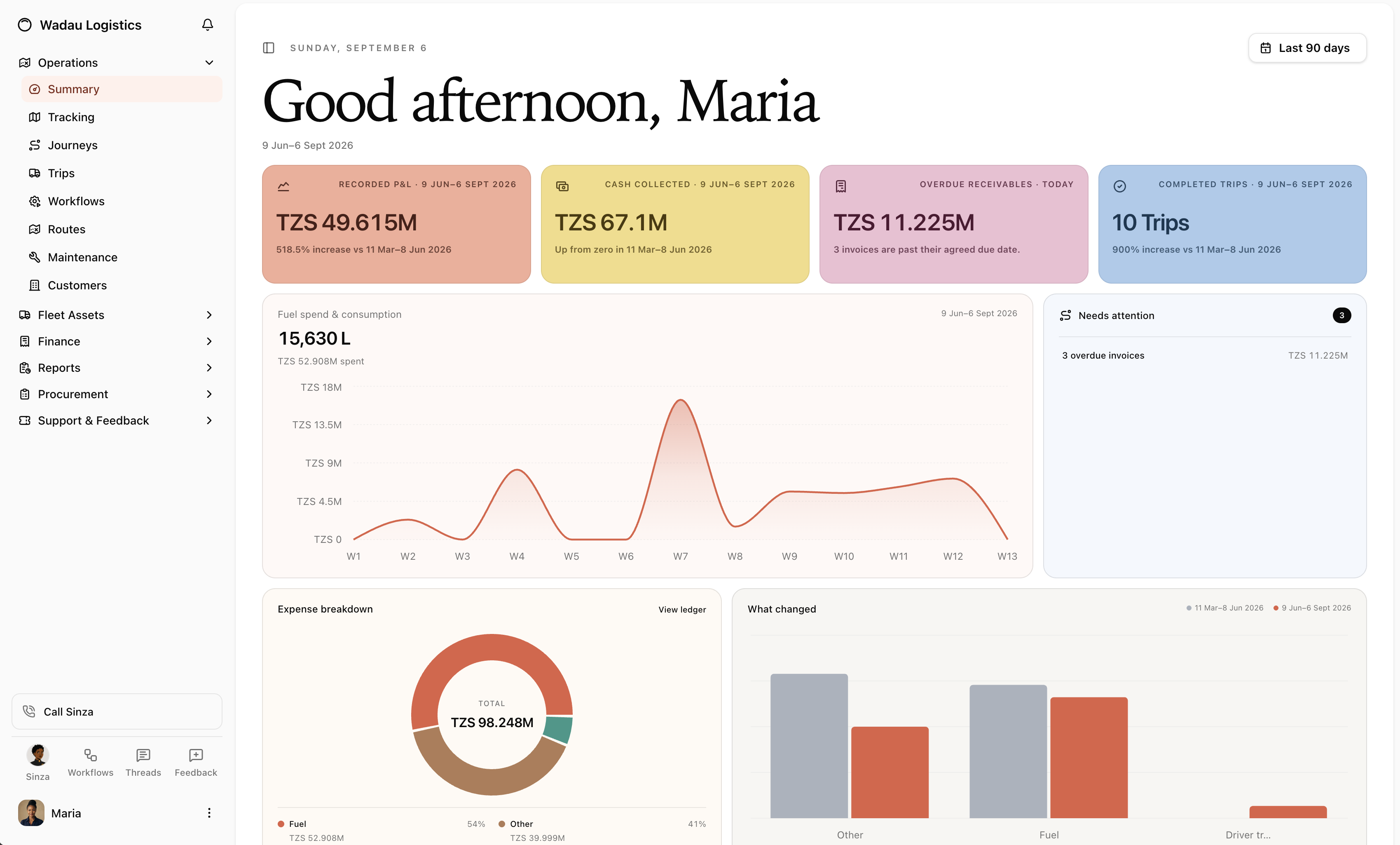
Trips, vehicles, revenue, and collections in one place.
See Route6 in actionPlan trips, assign drivers, and track your vehicles.
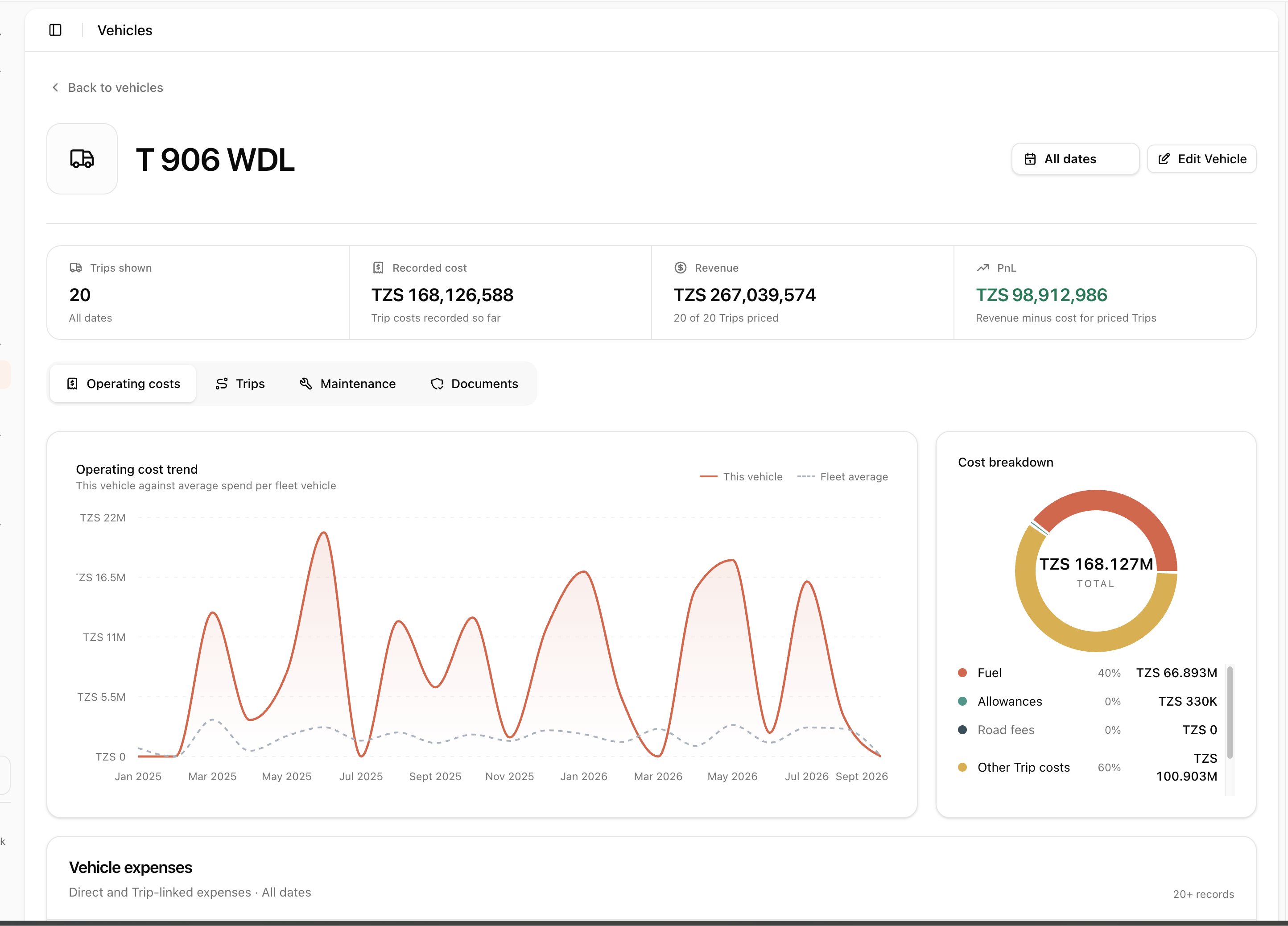
Compare revenue, recorded costs, and PnL by vehicle.
See what has been paid and which invoices are overdue.
Why Route6
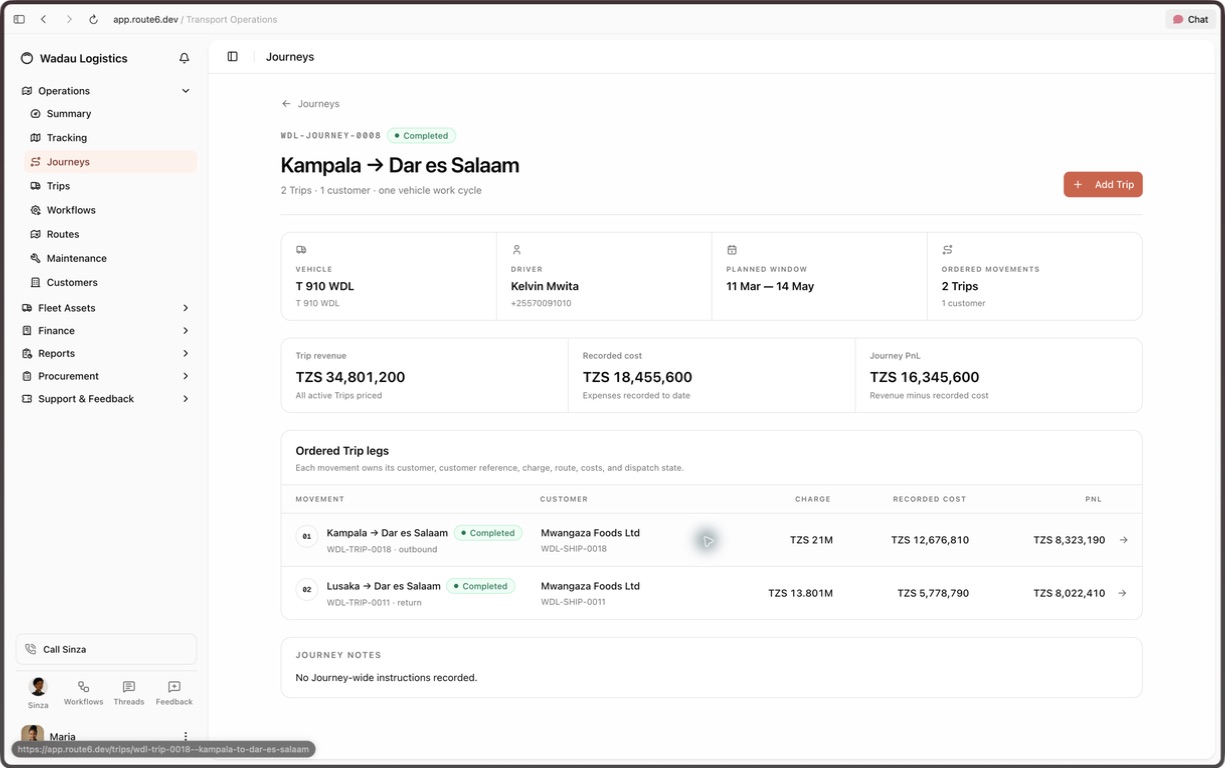
The truck assigned, the work completed, the costs recorded, and the cash collected. Route6 keeps them connected.
Follow each truck’s location, trip history, fuel spend, and recorded costs.
Keep the route, driver, schedule, and expenses attached to each trip.
See what the work earned, what it cost, and what customers still owe.
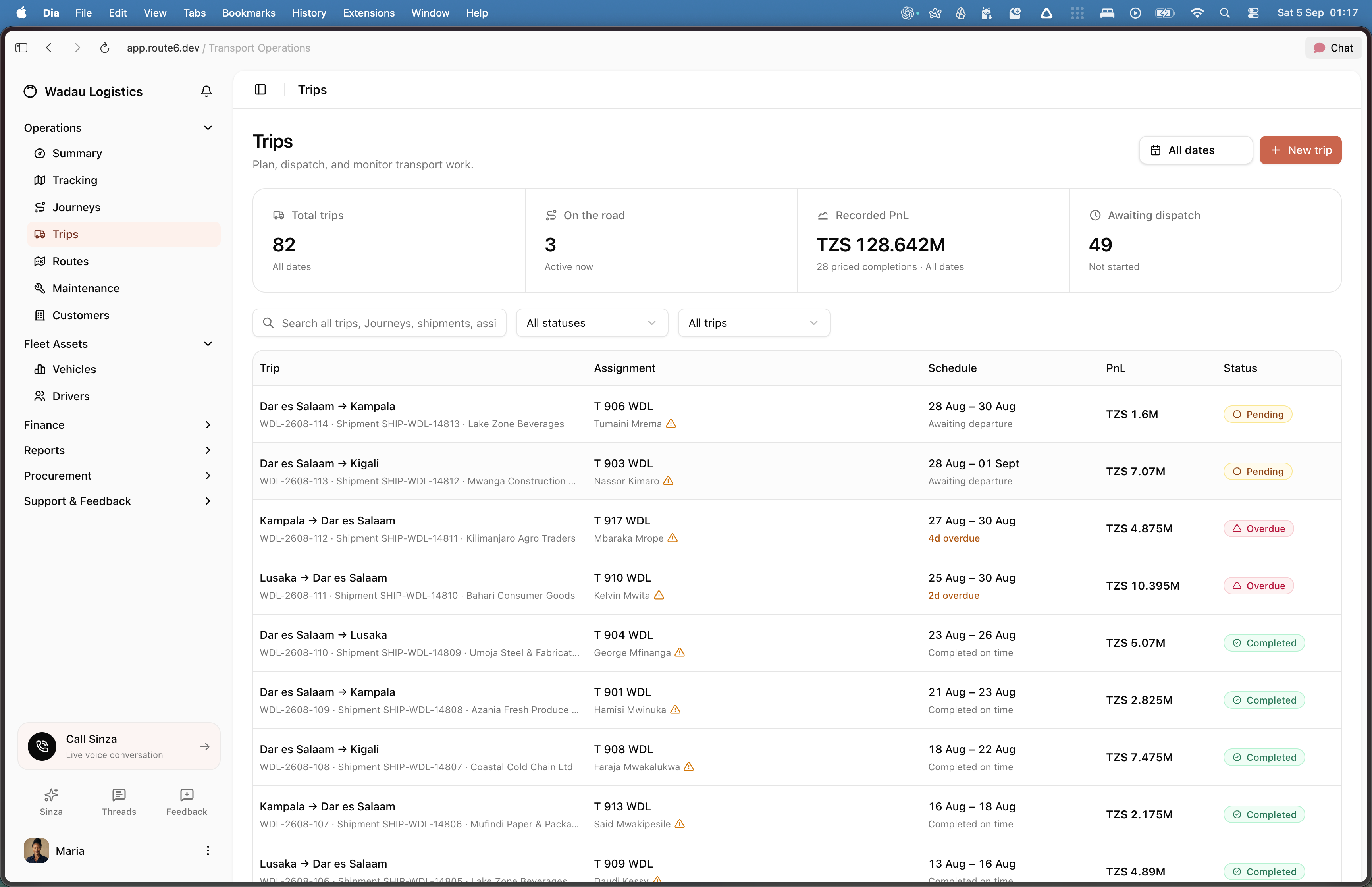
Set the route and schedule, assign a vehicle and driver, and follow each trip through completion. Keep the work and its costs together from the start.
Bring trip revenue, recorded costs, and PnL into one vehicle view. Compare operating spend over time and open the trips behind the numbers.
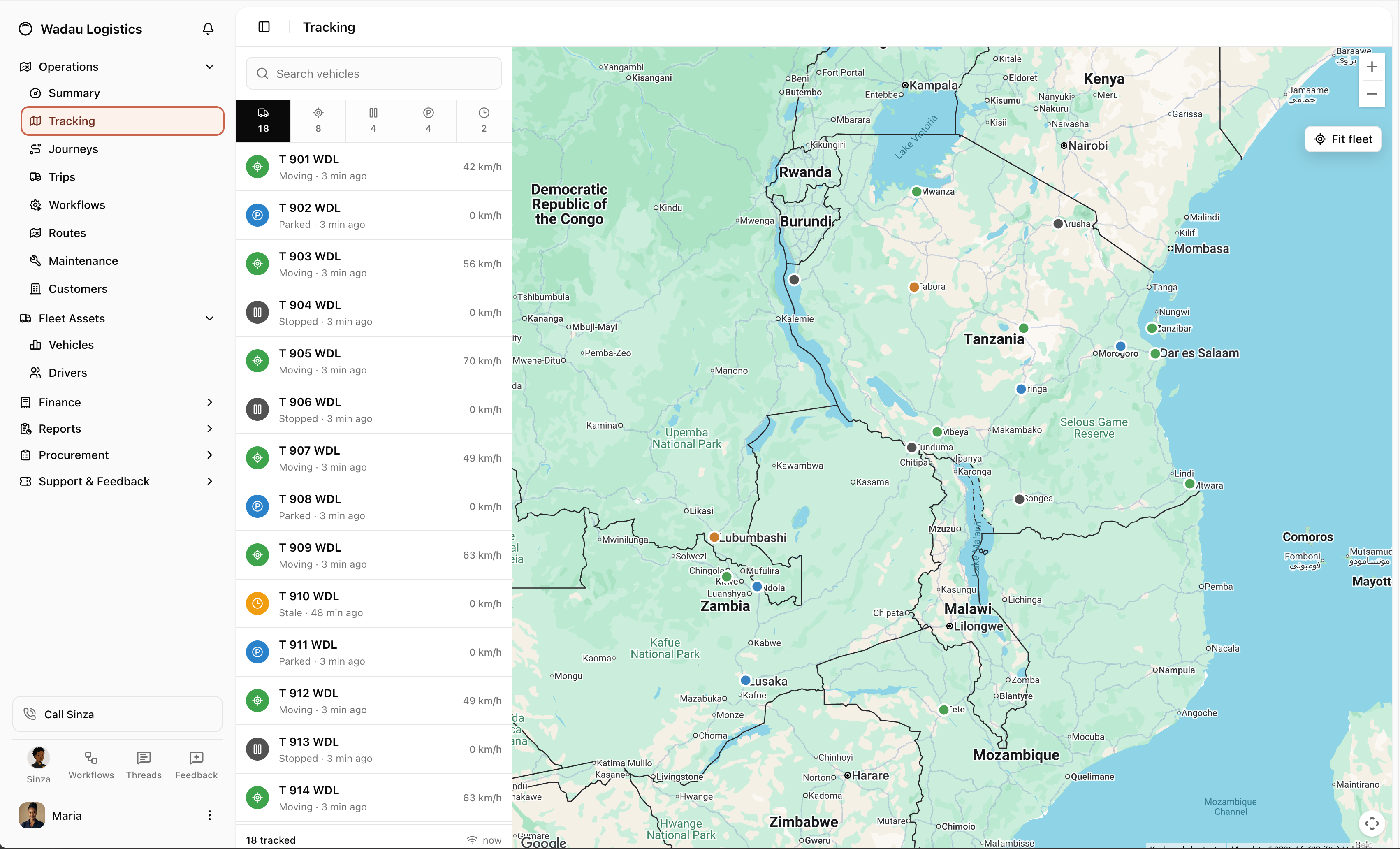
Locate your vehicles and see which are moving, stopped, or parked. Check the last update before you follow up with a driver.
Keep multiple trip legs connected to one vehicle work cycle. Follow the assignments, revenue, and recorded costs together, with each trip still available in detail.
Hand off day-to-day tasks in Route6. Sinza can carry out work, investigate costs, and prepare reports, giving your team more time to move the business forward.
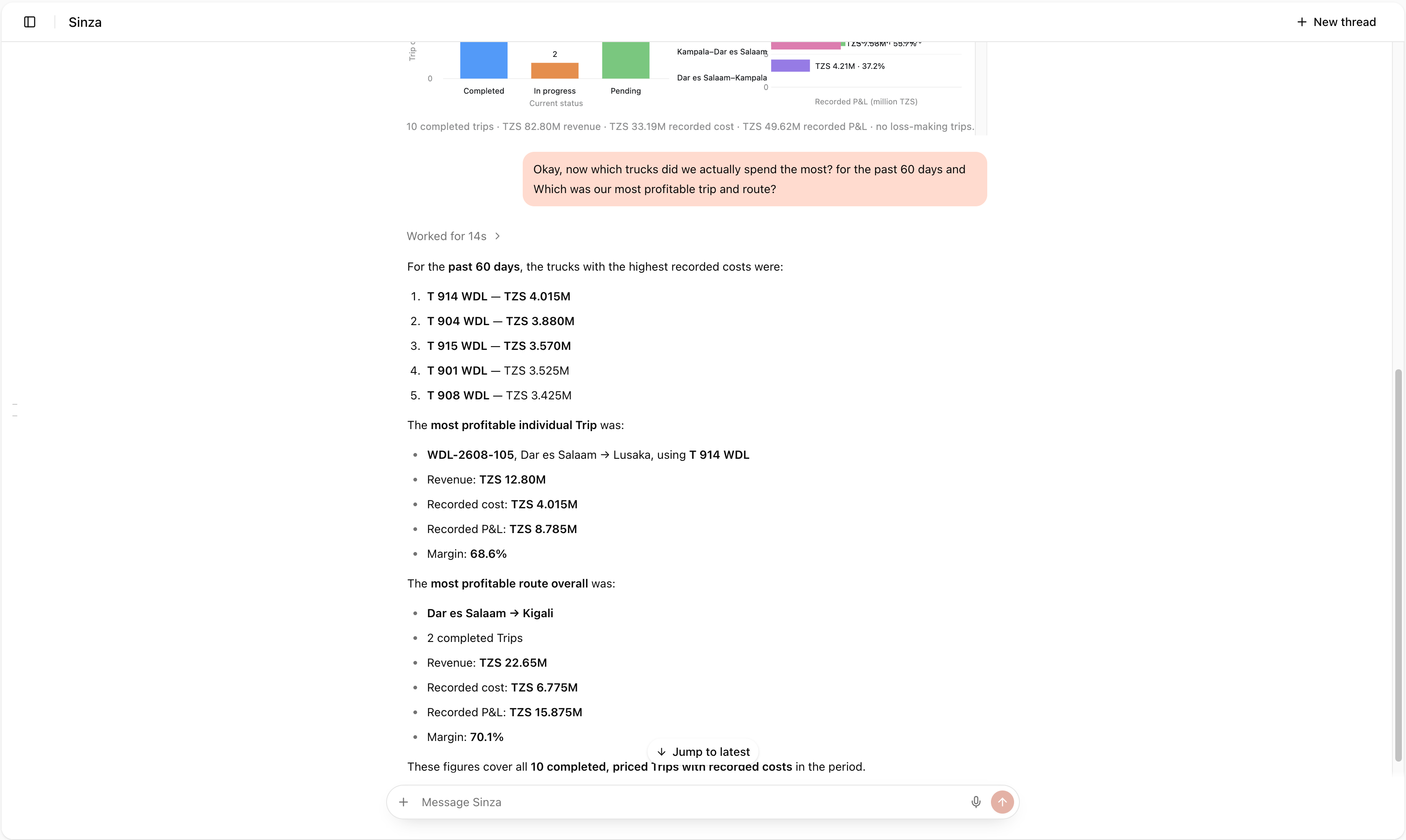
Sinza at work
Hand off everyday work across your fleet, trips, and finances. Sinza carries out tasks, investigates changes, and prepares reports.
Getting started
We help bring your data into Route6, configure it around your daily work, and guide your team through launch.
Walk us through your fleet, your team, and the work you want to tackle first.
Bring in your records and set up vehicles, routes, customers, and team access.
Practise everyday tasks with your team, then start using Route6 with support.
Add more vehicles, routes, and teams as Route6 becomes part of your daily work.
What it takes to get started, what you can hand over, and how your team stays in control.
Yes. Start with a team, a group of vehicles, or a specific part of your operation. We agree what the first rollout should cover, then expand when your team is ready.
You can ask Sinza to carry out tasks in Route6, investigate costs, and prepare reports. It works within your access and the actions you authorize. Your team keeps control of decisions and approvals that need a person.
Yes. Open the trips and recorded costs behind a vehicle’s revenue and PnL. The figures reflect the records entered in Route6, so missing costs or unpriced trips need to be completed before you treat the picture as final.
No. You can start managing trips, assignments, and costs with the records you already have. For tracking, we check your GPS provider, available data, and any hardware requirements before adding the connection.
We first look at the records and tools your team already uses. Together, we decide what to bring into Route6 and what should stay connected. Any integration is confirmed with you before it becomes part of the rollout.
We map your daily work, bring in the agreed records, configure team access, and practise the tasks each role will use. The launch schedule and ongoing support are agreed around your operation.
Your team uses signed-in accounts with access set for their responsibilities. Sinza works within the same company and permission boundaries. We review the access your team needs during setup.
Tell us about your fleet. We’ll walk you through Route6
and work out where to start.