Follow the movement
See the assignment, checkpoint history and recorded arrival. Check the last GPS update before following up.
Connect your trips, costs and fleet in one place.
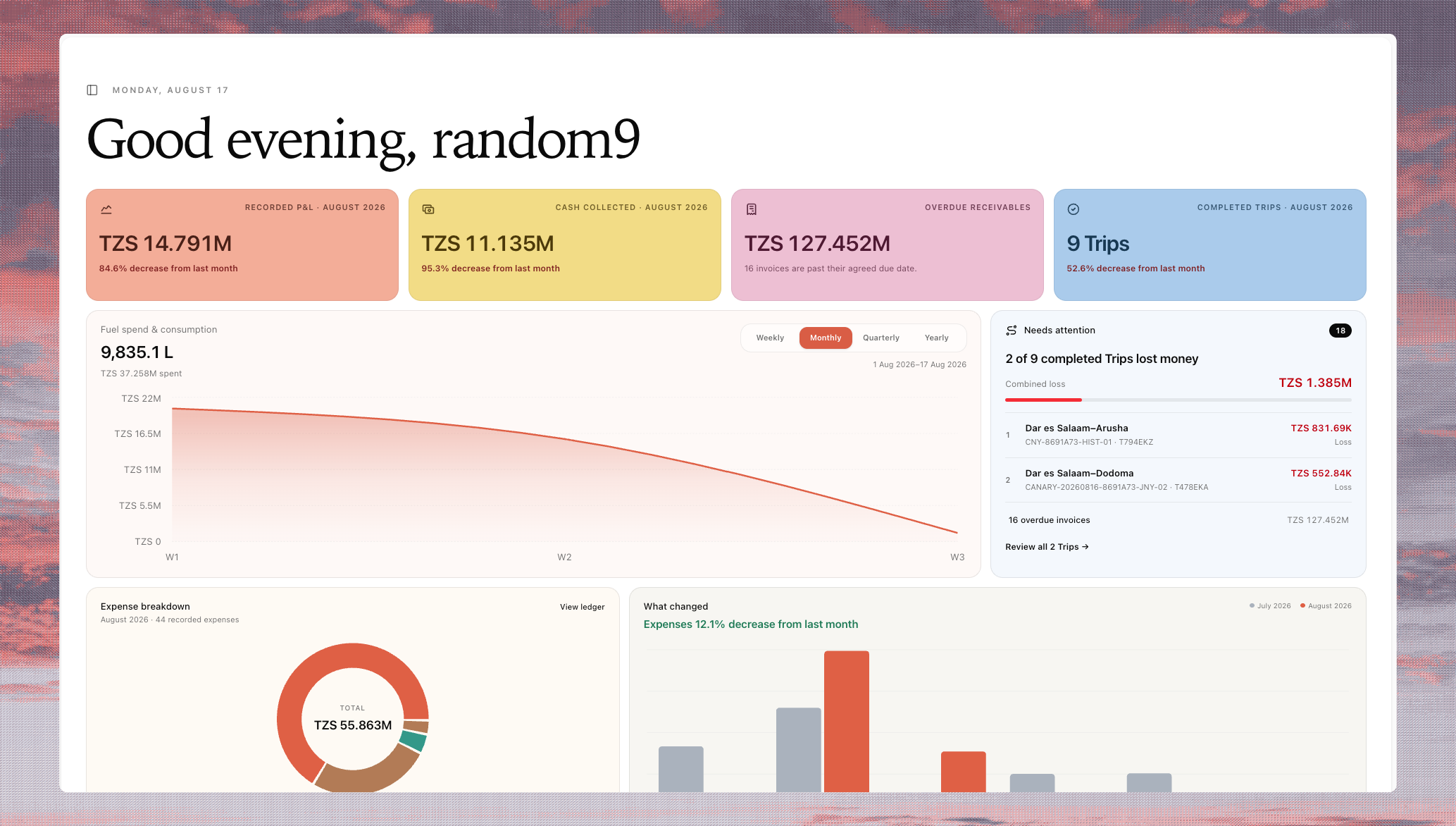
Follow each journey and see the records behind your numbers.
Keep the truck, driver, outbound and return trips together.
Each leg keeps its own customer, charges and recorded costs.
Outbound · Customer and agreed charge
Fuel · Border fees · Allowance
Transaction currency + recorded costs
Return · Its own customer and charge
Return costs stay with this leg.
Open either trip for the full record.
Fuel, border fees, allowances and repairs stay attached to the work. Review TZS and USD costs with the exchange rate behind each value.
Open the costs behind your P<ransaction currency · Frozen exchange-rate evidence
Compare vehicles, routes and months using recorded revenue and costs. See the trips included before making a decision.
Illustrative Route6 demonstration using synthetic figures. No customer data is shown.
See the assignment, checkpoint history and recorded arrival. Check the last GPS update before following up.
Keep working on costs and closeout after arrival. The next leg can move while the previous record is being finished.
Record invoices and customer receipts separately. See the recorded balance and review the agreed payment terms.
Sinza at work
Sinza helps with authorized work and investigates your records. Your team can inspect what changed and where the answer comes from.
Record these two repair costs against the vehicle, using the dates and currencies on the sheet.
The costs are recorded against the vehicle. Each entry keeps its date, currency and rate evidence.
2 expense records · Ready to inspect
Open expensesCompare flatbed and tanker profitability for September. Show the trips and costs behind the comparison.
Here is the comparison from recorded revenue and costs, with the trips included and the coverage to review.
September · Trips, costs and recorded P&L
Review the comparisonBring one journey and its cost sheet. We map the work, review the numbers and help both the operator and owner get started.
Bring the trips, assignments and source records your team uses today.
Check costs, currencies and missing information against the source.
Record an update, inspect a report and delegate a useful task to Sinza.
Add more vehicles and workflows after the first scope is working.
Yes. Agree a focused set of vehicles, records and daily tasks, then expand when your team is ready.
Yes. We start with the records your team already uses, review their shape together and agree what should move into Route6.
Yes. Revenue, costs and exchange-rate evidence stay connected to the work so your team can inspect the records behind a comparison.
No. You can begin with trips, assignments and recorded costs, then connect GPS where live movement evidence is useful.
We’ll walk through your trips and costs, review the recorded margin,
and show where your team can put Sinza to work.